
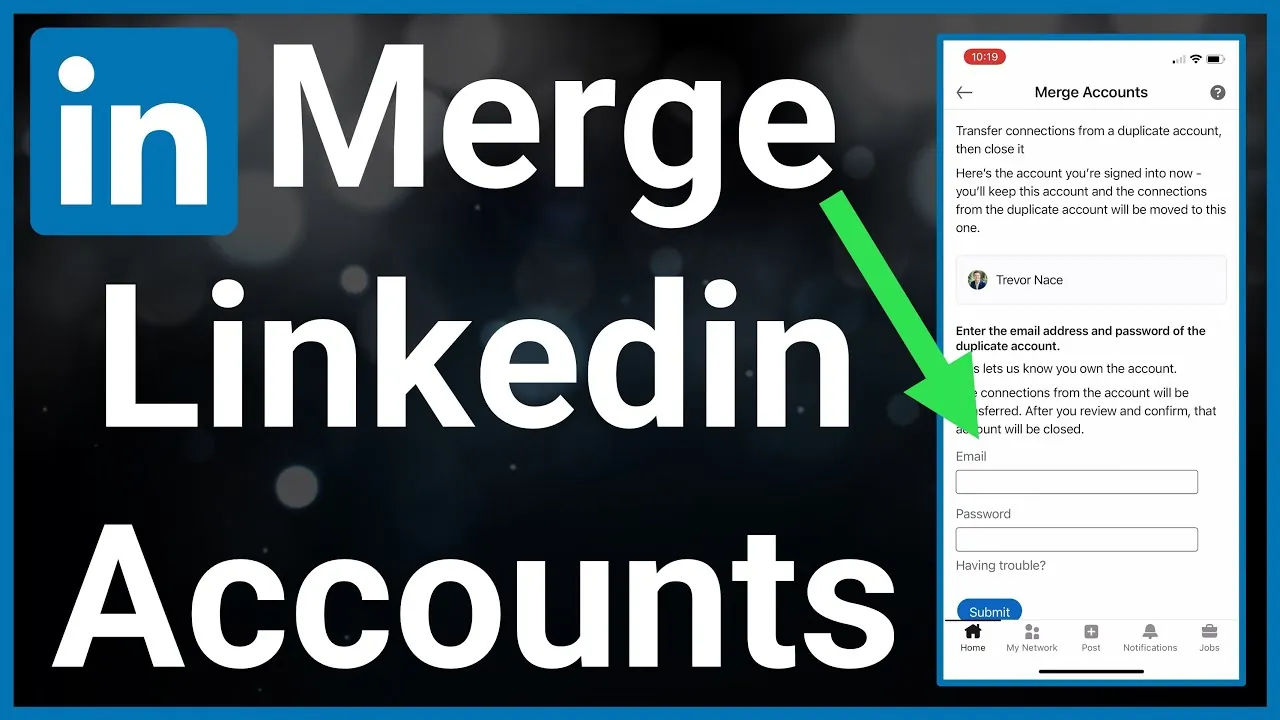
You can effectively consolidate your professional presence by how do i merge 2 linkedIn accounts into one, although the platform doesn’t offer a single “merge” button to combine them automatically. Because LinkedIn maintains strict policies regarding unique identifiers, you must manually transfer your connections and data from the secondary account to the primary one before closing the duplicate profile. This process ensures your professional network remains intact while preventing the fragmentation of your digital identity across multiple URLs.
Key Takeaways
- LinkedIn doesn’t provide a native button to automatically merge two separate member profiles into one.
- You must manually export your data and contacts from the unwanted account before permanently closing it.
- Retaining your primary profile requires keeping the email address associated with your main professional history.
- Duplicate accounts often violate the LinkedIn User Agreement, which mandates one profile per person.
- Closing a duplicate account prevents potential confusion for recruiters and colleagues searching for your credentials.
How Do I Merge 2 LinkedIn Accounts?
The process of “merging” is actually a two-part administrative task involving data preservation and account deletion. Since there’s no automated tool, you’re responsible for migrating your professional information manually. Start by deciding which account contains your most comprehensive work history, recommendations, and long-term connections. This will serve as your primary profile.
Once you have identified the primary account, log into the secondary, redundant account to extract any unique information you wish to save, such as specific endorsements or older project details that might not exist on your main page.
Warning: Before closing your secondary account, ensure you have downloaded your connection list as a CSV file to avoid losing your professional contacts.
Identifying Your Primary Account
Choosing the right profile is critical for maintaining your professional brand. You should evaluate each account based on the number of connections, the quality of recommendations, and the presence of verified work experience.
If one account is linked to your current company email address and the other uses a personal or outdated address, favor the one that aligns with your active career status. Once you confirm which account to keep, update the primary email address in your settings to ensure you receive all future notifications.
| Criteria | Primary Account | Secondary Account |
|---|---|---|
| Connection Count | Highest number | Fewer connections |
| Recommendations | Most relevant | Outdated or generic |
| Email Address | Current professional | Inactive or personal |
| Profile URL | Clean and customized | Default numeric string |
Exporting Your Data Safely
Before you shut down the secondary account, you must secure your data. LinkedIn provides a tool that allows you to request an archive of your information. This includes your profile data, connection list, and messages. Navigate to the “Data Privacy” section within your account settings to initiate this request.
You’ll receive an email with a download link once the file is ready. This archive acts as a safety net, ensuring you don’t lose valuable network information or historical records that you might want to reference later.
Managing Your Professional Connections
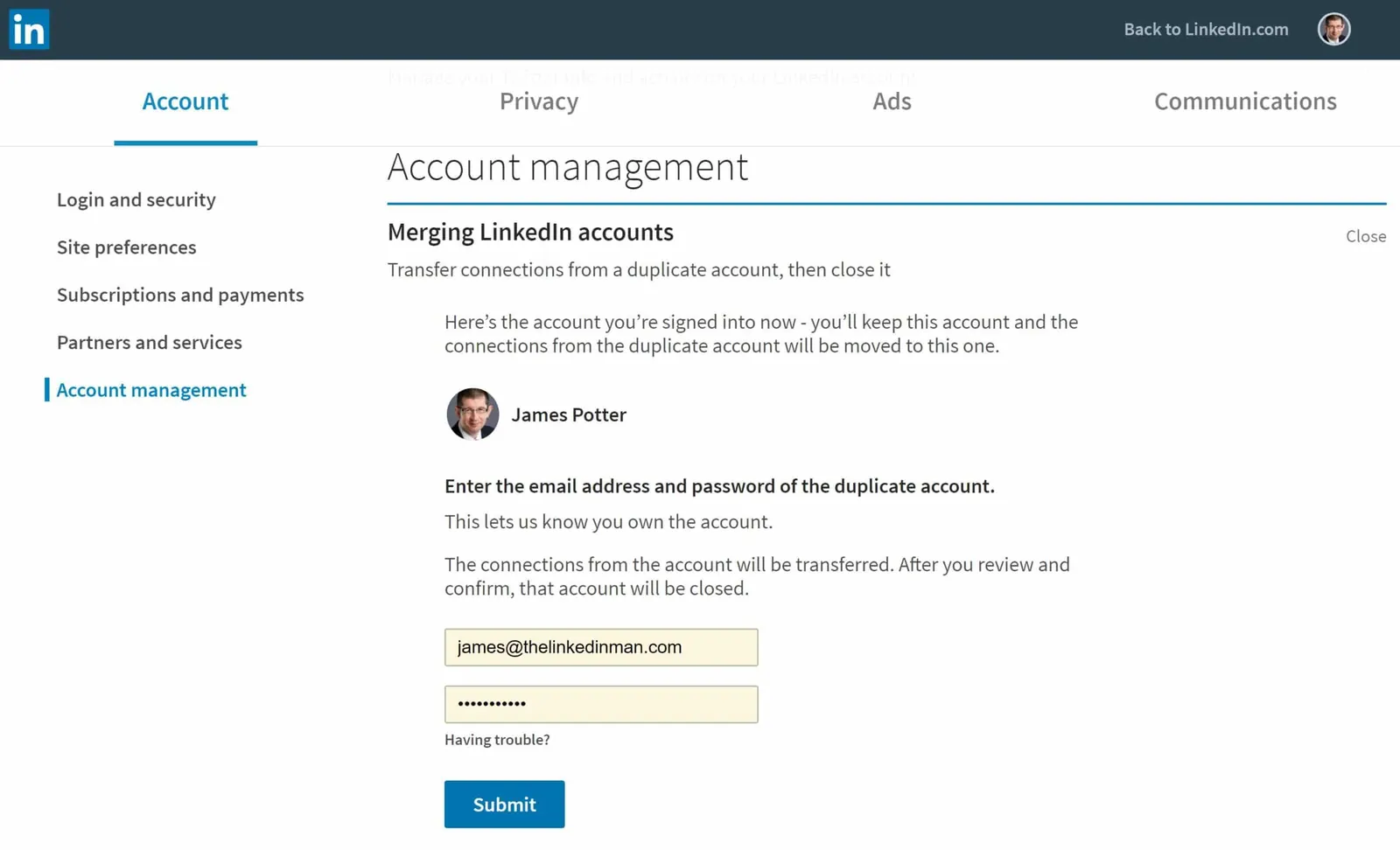
The most difficult part of moving from one account to another is managing your network. After downloading your connections from the secondary account, you can manually invite those individuals to connect with your primary profile.
Keep in mind that sending bulk invitations can trigger automated spam filters, so it’s best to reach out to key contacts personally. Mention in your message that you’re consolidating your professional presence to keep your network updated. This proactive communication helps maintain the integrity of your professional relationships.
How to Close the Duplicate Account
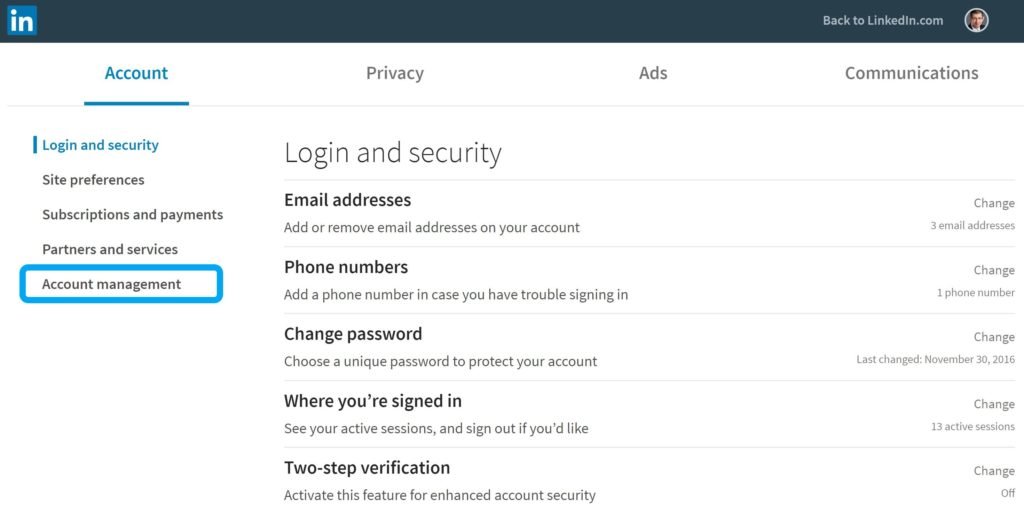
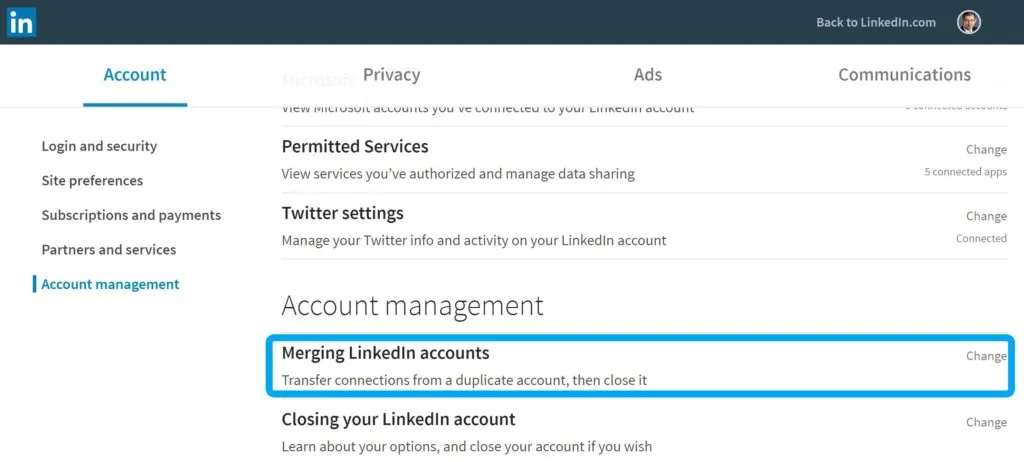
After confirming that all necessary information is transferred and your connections are notified, you can safely close the duplicate account. To do this, navigate to the “Account Management” section in your settings, select “Close Account,” and follow the prompts.
LinkedIn will ask for a reason for the closure; choosing “I have a duplicate account” is the most accurate option. Once the closure is complete, the profile will be removed from public view, and the associated email address will eventually become available for use on other services if needed.
Can I Use My Old Email?
A common question involves reusing an email address from a closed account. Once you have successfully closed the duplicate profile, the email address associated with it may remain tied to the closed account for a period of time.
If you wish to use that email for your primary account, you may need to wait until the account is fully purged from the system. In some cases, it’s easier to simply add your secondary email as an additional address within your primary account settings rather than trying to swap them entirely.
Pro Tip: Always verify that you’re logged into the correct account before hitting the delete button to avoid accidentally erasing your primary profile.
Troubleshooting Common Login Issues
If you can’t access your secondary account because you have forgotten the password or lost access to the associated email, you must use the LinkedIn Help Center to initiate an account recovery. Without access to the secondary account, you can’t formally close it or export your data.
If recovery is impossible, you may have to report the profile as a duplicate to LinkedIn support. They can assist in removing accounts that violate their terms of service regarding multiple profiles, though this process may take longer than manual closure.
| Issue Type | Solution Path | Expected Outcome |
|---|---|---|
| Forgotten Password | Use “Forgot Password” link | Reset via registered email |
| Lost Email Access | Identity verification process | Manual account recovery |
| Can’t Login | Contact Support team | Profile flagged/removed |
| Duplicate Account | Report via Help Center | Platform removal of profile |
Why Duplicate Accounts Cause Problems
Maintaining two profiles creates confusion for recruiters and potential business partners. When someone searches your name, they may find two different work histories or conflicting titles, which undermines your credibility. A consolidated profile ensures that your endorsements and skills are centralized, providing a clearer picture of your expertise. Furthermore, having a single, well-maintained profile makes it easier for you to track engagement and manage your professional visibility across the platform, preventing the dilution of your online influence.
Maintaining Your Personal Brand
Once you have merged your accounts, focus on optimizing your single profile. Update your headline to reflect your current professional objectives and ensure your experience section is comprehensive. A single, high-quality profile is significantly more effective than two incomplete ones. Use the extra time you save from not managing multiple accounts to engage with your network, share relevant industry content, and participate in LinkedIn groups. Consistency in your professional branding is essential for long-term career growth and networking success.
Frequently Asked Questions
Will I lose my endorsements if I close an account?
Yes, any endorsements or skills listed on the secondary account will be lost when you close it. Because there’s no automated transfer process, those specific public endorsements can’t be moved to your primary account. You should reach out to colleagues who endorsed your skills on the secondary account and ask if they would be willing to provide a new endorsement on your main profile.
How long does it take for an account to be removed?
Once you request the closure of your account, the process begins immediately. However, it may take up to 72 hours for the profile to disappear from search results and external search engines like Google. If you still see the profile after this period, ensure that you have cleared your browser cache or wait an additional day for the indexing to update across the internet.
Is it against the rules to have two accounts?
Yes, the LinkedIn User Agreement strictly prohibits maintaining more than one personal account. Having multiple profiles can lead to both accounts being restricted or permanently banned by the platform’s automated systems. Consolidating your presence isn’t just a best practice for your professional reputation; it’s a requirement to remain in good standing with the platform and avoid losing your access entirely.
Can I merge my connections into one account?
You can’t automatically merge your connections from one account to another. You must export your connections from the secondary account into a spreadsheet, then manually send new connection requests to those individuals from your primary account. This is a time-consuming but necessary step to ensure that your network transition is handled professionally without violating the platform’s policies against automated scripts or bulk connection tools.
What happens to my messages on the old account?
All messages, including private conversations and sent connection requests, are permanently deleted when you close your secondary account. If there are important conversations or contact information within your messages, make sure to copy and save that text to a separate document before you initiate the closure process. There’s no way to retrieve these messages once the account is officially closed by the user.
Conclusion
Consolidating your professional presence is a vital step toward building a cohesive and authoritative personal brand. By taking the time to manually migrate your connections, update your primary profile, and properly close your duplicate account, you ensure that your career history is presented accurately to your entire network. Start by downloading your data from your secondary account today to begin the process.