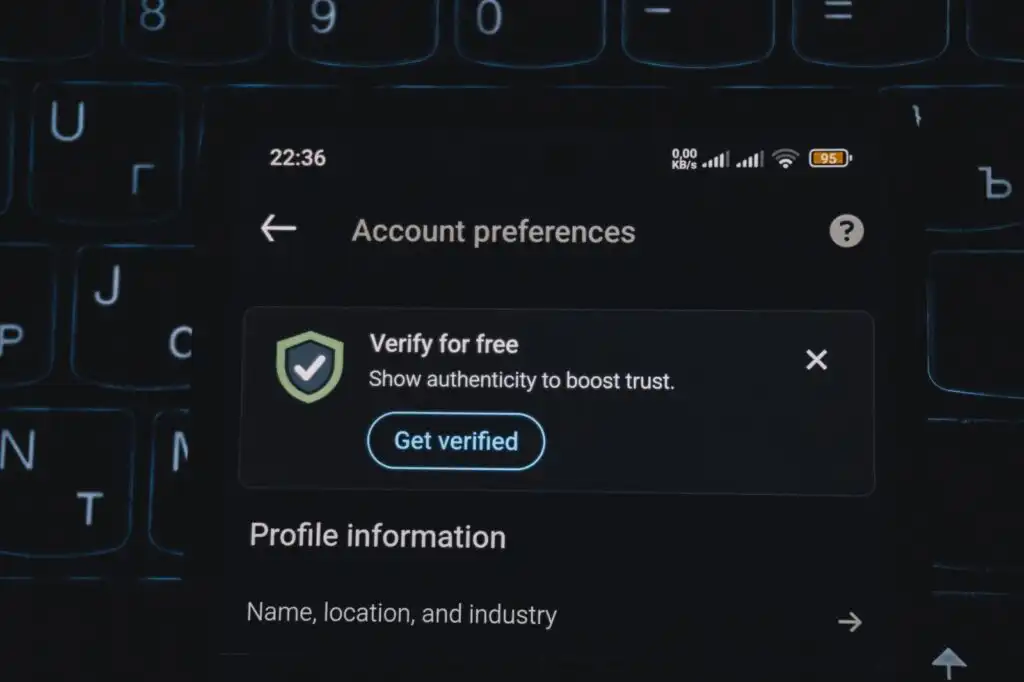
How to verify instagram account is possible by submitting a request through the Professional Dashboard in your app settings.
What you need to verify your account
Before you begin the application, have these items ready to ensure a smooth submission process. Missing one of these pieces often causes the system to reject the request immediately:
- A high-quality photo of your government-issued ID, such as a passport, driver’s license, or national identification card.
- An active, professional, or creator Instagram account that’s already set to public.
- A profile photo, a complete bio, and at least one active post on your grid.
- Official documents, such as tax filings or articles of incorporation, if you’re applying for a business account.
- A clear link to your other social media channels or a website that proves your public notability.
If you’re a business, you must provide official company documents; for individuals, a personal ID is sufficient. You don’t need a specific number of followers to apply, though your account must follow the official Meta verification guidelines.
Steps to Request Your Badge
Follow these steps carefully to ensure your information reaches the review team without errors.
- Open the Instagram app on your mobile device and navigate to your profile page.
- Tap the three horizontal lines in the top right corner to open the menu.
- Select “Settings and activity” and then tap “Account type and tools.”
- Choose “Request verification” from the list of options to open the application form.
- Enter your full name and choose the correct document type from the provided list.
- Upload a clear, non-blurry photo of your ID, ensuring all four corners are visible in the frame.
- Add links to your news articles or other social platforms to help the team verify your notability.
- Tap “Submit” and wait for a notification in your activity tab regarding the status of your request.
Careful: Don’t attempt to use a fake ID or someone else’s documents, as this will lead to a permanent ban from the platform.
Tip: Ensure your username matches your real name or the official name of your business exactly.
Tip: If you have a professional account, ensure your contact information is up to date before you hit submit.
Verification Scenarios and Effort
The time and effort required for verification depend on your account status and the documents you have on hand.
| Situation | Effort Level | Time Estimate | What to Watch |
|---|---|---|---|
| Personal Account | Low | 5-10 minutes | Ensure ID is valid |
| Business Account | Medium | 15-20 minutes | Need tax documents |
| High-Profile Public Figure | High | 20+ minutes | Need press links |
If you’re a business user, ensure your tax identification number matches the legal entity name exactly. A single mismatched character here triggers a manual audit that can delay your approval by up to five business days.
Always cross-reference your submission against your official government filings before clicking submit. If your business has undergone a recent name change, upload the formal amendment document alongside your primary tax forms. Failing to include this secondary proof forces the system to reject the application automatically.
It’s safer to start with your most accurate information and wait for a response before making changes to your profile. Don’t attempt to update your bio or contact details while the verification is pending. These mid-process edits often reset the queue, forcing your account to the back of the line.
Identifying a Successful Verification
You’ll know you have succeeded when a blue checkmark appears next to your name. A poor result occurs if you receive a notification stating your request was denied because the team couldn’t confirm your notability or document authenticity.
Most denials stem from a mismatch between your provided ID and the name on your profile. If your legal name differs from your public handle, include a link to an official website or a professional portfolio that explicitly connects the two identities.
Don’t rely on social media mentions or personal blogs to prove notability. The system requires at least three independent, reputable news articles published within the last six months. If your industry lacks this coverage, wait until you have secured a feature in a recognized trade publication before applying.
Standards and Account Maintenance
Meta requires that all verified accounts follow their Terms of Use and Community Guidelines. If you change your username or transfer the account to another owner, you’ll lose the badge and must re-apply.
Keep your account active and avoid buying followers or using engagement services. These actions violate platform rules and trigger an automatic removal of your status. Users often mistake a temporary spike in engagement for growth, but artificial activity is easily flagged by internal audits.
If your account is flagged, you typically have 48 hours to provide original documentation before the verification status is permanently revoked. If you have questions about specific document requirements, consult the official Instagram help center directly. Always ensure the name on your government-issued ID matches the name displayed on your profile to prevent unnecessary account reviews.
Alternative Verification Routes

Meta Verified Subscription
This is a paid monthly service that provides a blue badge for creators and businesses. It changes the process from a manual review of your notability to a subscription-based identity check. You pay a fee, provide your ID, and receive the badge after a quick identity match.
Third-Party PR Representation
Some public figures hire PR firms to handle their digital presence. These professionals collect your media features and official documents to build a stronger case for your notability. This doesn’t guarantee approval, but it ensures your application includes every relevant detail the reviewers look for.
Community Outreach
If you’re a local organization, you might seek local press coverage first. Building a history of mentions in reputable news outlets makes your account look more authentic to the reviewers. This increases your chances of approval during the manual review process.
Frequently Asked Questions: How to verify instagram account
Can I verify my account without an ID?
No, you can’t verify your account without a government-issued photo ID. The platform requires this to confirm that the person behind the account is who they claim to be. If you don’t have a standard ID, you must obtain one from your local government authority before starting your request.
How long does the verification review take?
The review typically takes between 24 and 48 hours, though it can take up to 30 days during periods of high volume. You’ll receive a notification in your Instagram activity tab once the team has made a final decision. Don’t submit multiple requests, as this may delay the process.
Is it safe to send my ID to Instagram?
Yes, it’s safe to send your ID to the platform through the official app interface. Instagram uses this information only to verify your identity and states that they don’t share your ID publicly. Ensure you’re using the official app and not an external website claiming to verify accounts.
What happens if my request is rejected?
If your request is rejected, you can apply again after 30 days. Use this time to build your public presence, gain more media mentions, or improve the quality of your profile content. You should also ensure that your profile information is fully accurate and matches your official documents before you try again.
Can I buy a verified badge?
No, you can’t buy a badge from an individual or an unofficial service. Any website or person claiming they can sell you a verified badge is a scammer. The only official way to get a badge is through the in-app request form or the Meta Verified subscription service.
Does having more followers help?
No, the number of followers isn’t the deciding factor for verification. The platform looks for notability, which is defined by your presence in news sources and your impact in your industry. An account with fewer followers that’s frequently featured in the news is more likely to be verified than a large account without public notability.
Conclusion
Maintaining an authentic and complete profile is the most important step in demonstrating your legitimacy to the platform. By following these guidelines and ensuring your documentation is clear and accurate, you provide the best possible chance for your request to be approved. Always check your account settings regularly to ensure your contact details remain current and compliant with platform policies.